
Go beyond the numbers.
Open a stat to dig deeper: tap a bar, add a filter, and scroll through the exact climbs behind it.

Log every session, dig into 50+ stats and your Apple Health data, and turn your videos into auto-followed, annotated edits in minutes. No account, no tracking, and your videos never leave your iPhone.
v2.0.0 pictured - get notified when it's released
Just drop in any unedited clip shot on a tripod - ClimberKit will take care of the rest.
ClimberKit tracks you up the wall and reframes the shot, easing into moves the way a camera operator would. You choose how tight it frames.
Your path draws itself up the wall, with split times sticking to the climbing line to show your progress.
Add notes, change the speed, zoom in, spotlight a hold - everything you need to analyze a climb, made easy.
Add a second camera angle, and see them side-by-side, picture-in-picture, or swap between them mid-climb. Link Apple Health and see your live heart rate synced to your clips.
The editor
Editing climbing videos should be fast and easy for anyone - even if you've never touched a video editor. Watch how this clip was fully edited in less than 5 minutes.
Stats
50+ stats are built in. For everything else, build your own the way the app does it: one sentence, three blanks. Tap a word.
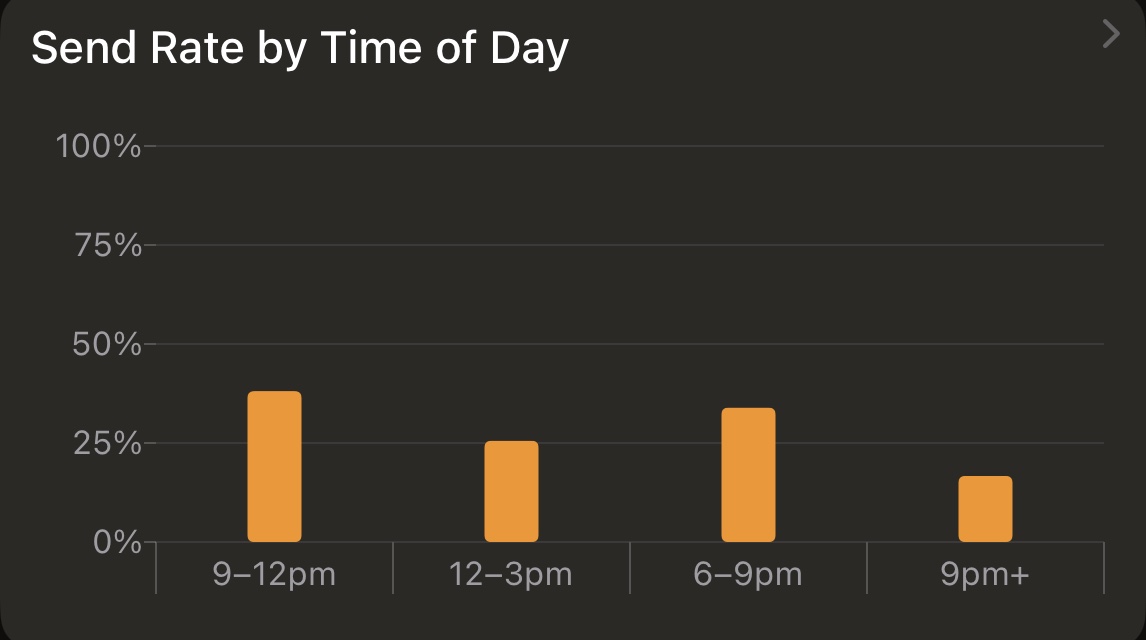
You're askingDo I climb better in the morning?
Open a stat to dig deeper: tap a bar, add a filter, and scroll through the exact climbs behind it.
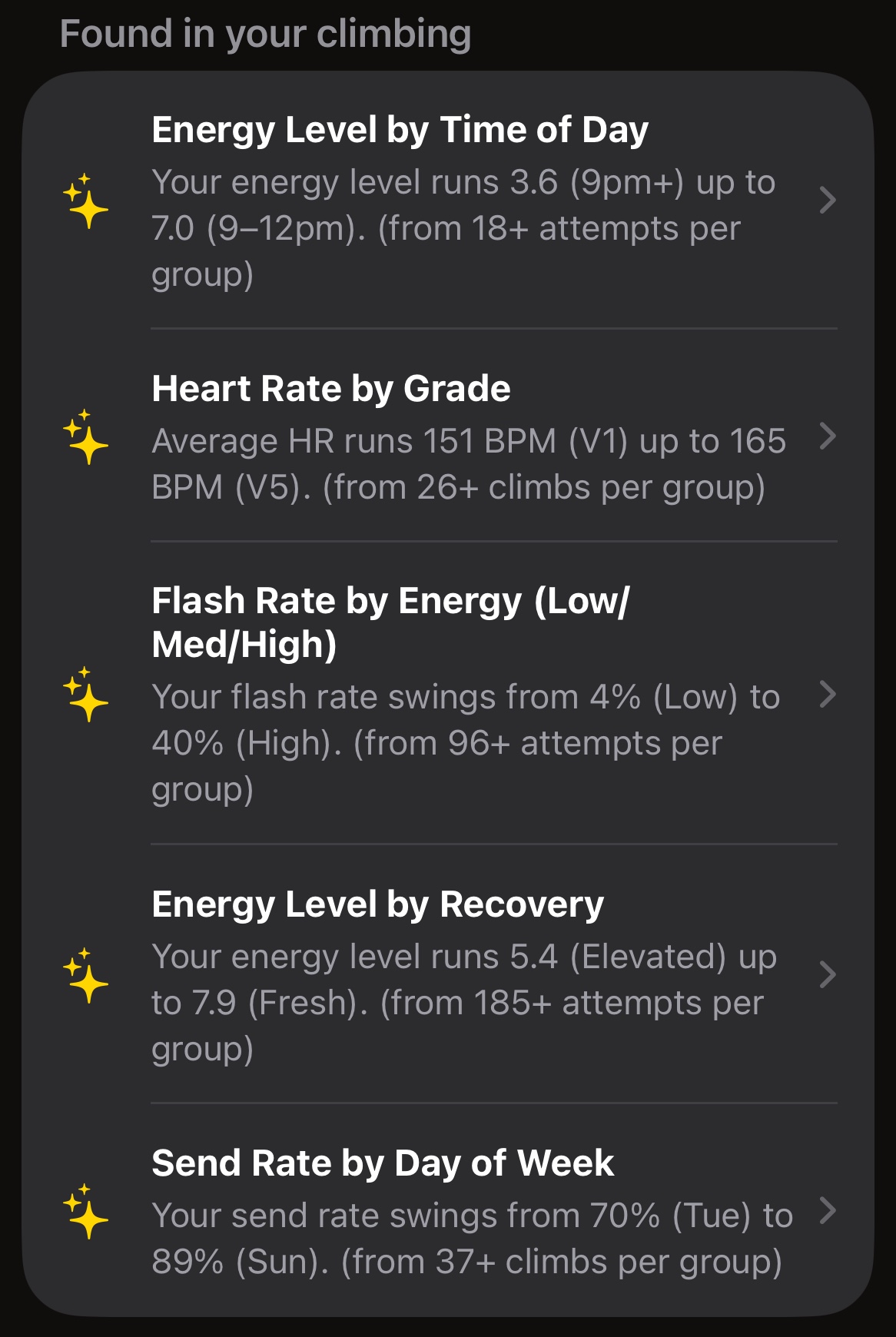
ClimberKit scans your climbing logs for you, recommending custom stats you might find interesting.
The logbook
Log as much or as little as you like. The more you put in, the more your stats and your search can tell you later.
ClimberKit is designed to help you learn from your attempts - not just document how many tries it took you to finish a route. You can record as little or as much detail as you want.
Finding old climbs can be a nightmare. Search makes it easy: just type anything you remember about the climb (color, grade, style, gym, a note) and ClimberKit does the rest.
Mini clips
ClimberKit automatically makes a tiny version of all of your videos. When you're done with a clip, just delete it, and you'll keep a reminder of the climb - without the massive footprint.
ClimberKit doesn't send anything about you to me or to anyone else. Read the privacy policy. It's short.
I don't want your email address - just go climb.
Climber tracking and editing run on your iPhone. Your videos are never uploaded to me or to an AI service - you're not an LLM's training data.
If enabled, certain health metrics are read on your iPhone to show alongside your climbs. Your data isn't sent anywhere. I can't see it.
No analytics or ad code in the app. Your log syncs through your own private iCloud, which I can't read.
The logbook.
$0 forever
Custom stats and Health integration.
$29.99 per year
Video analysis.
$59.99 per year
or $5.99 a month
Plus and Pro arrive in v2.0.0 - get notified when it's released
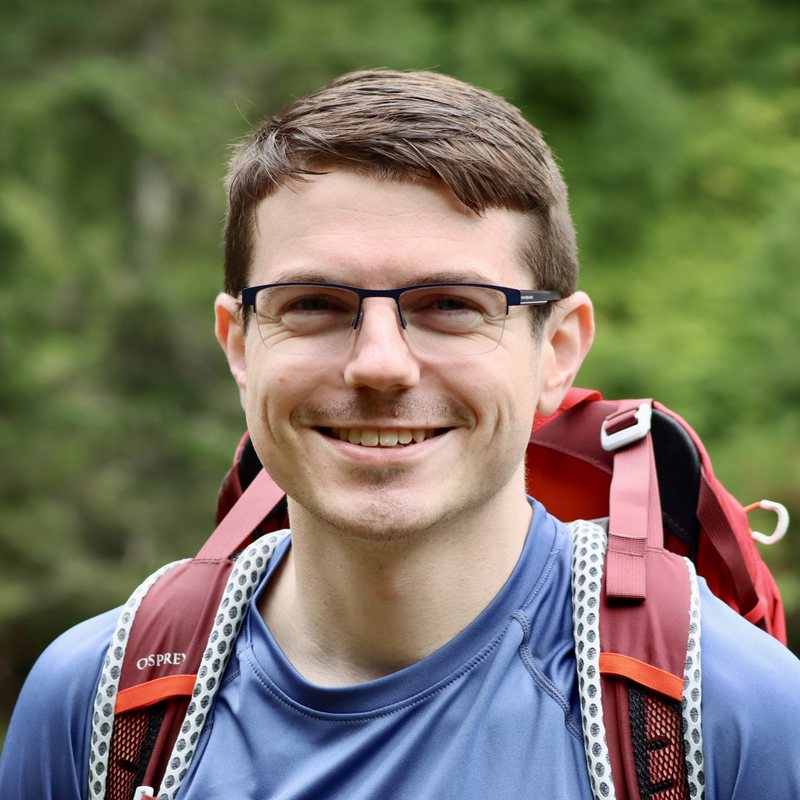
Hey! I'm Kyle, and ClimberKit is just me. I started climbing in 2024, originally in Washington and now down in Texas. I've worked my way up to a handful of V6 climbs, and most of the features in this app are born directly from things I wished I had as a climber. I've probably tested ClimberKit on hundreds of my own videos, and you'll find me beta testing the latest builds every week at the gym.
From the archives
I'm constantly experimenting with new features for ClimberKit. Rather than keeping my prototypes secret, I like to share them, and the feedback helps me decide what to prioritize. If there's features you'd like to see in a future version of ClimberKit, let me know!
Multiple versions of you (or a friend!) overlaid on the same problem. Great for seeing small variations in beta and technique without needing to jump between clips.
Designed to let you perform video analysis simultaneously on two aligned clips - this is especially useful when making micro-adjustments that are hard to see without the context of previous attempts.
First off - it just looks really cool! But it's also built to be functional - every climber's body is different, which can completely change the beta. Using wall scans and your measurements, ClimberKit can show these differences, overlaid right on top of your analysis.
See the next experiment first:
If you make climbing content and want to share ClimberKit with your followers, learn more about the affiliate program.